.png)

You search for your business online, but nothing comes up. When you search for your service locally, competitors appear instead, which is a sign that Google does not fully trust your listing. In most cases, Google cannot confirm your business details across the web, so your listing stays hidden. The problem is visibility, not demand.
Google does not show every business by default. It looks for accuracy, consistency, proximity, completeness, and activity before displaying listings. When your information matches across the web, Google can confirm your business faster. When those signals are weak or conflicting, your visibility in search and map results drops.

If you’re asking, “Why is my small business not showing up on Google?”, your business details may not match online. Before Google shows listings, it looks for consistent information across the web. When phone numbers, addresses, or business names differ, those conflicts weaken trust. If Google cannot match the details, your business may not appear at all.
Your Google Business Profile, website, and online listings should all match for the same reason. When they do not, you show up less often. Duplicate profiles, outdated contact details, and missing information can also reduce visibility. Your website can create problems too if key pages are missing or your service area is unclear. Start by checking your profile status, then correct your listings and post updates to show your business is active.
Verification activates your listing, but Google still decides when your profile appears in results. Many owners expect to receive a postcard right away after requesting one. In reality, verification only confirms the business exists. Your ranking and placement depend on other signals as well.
After verification, Google usually processes your information within 24 to 72 hours. If your details conflict across directories, or if you make sudden changes, visibility can take longer. If you still do not appear, check for conflicting data across major directories and your website.
Verification typically includes:
• Confirming your business address
• Verifying by postcard, phone, or email
• Selecting accurate categories
• Defining your service area
Incomplete verification limits how often your listing appears in search results. If Google detects guideline violations or suspicious edits, it may suspend your profile. You will not be visible again until you resolve the issue and request reinstatement.
Google often generates listings from public data sources. That can happen even when a business owner never created a profile. When multiple listings exist, Google must determine which version to trust. Duplicate listings divide authority and weaken search performance.
Common problems include:
• Different phone numbers on older directories
• Old addresses still listed online
• Suite numbers written in multiple formats
• Business name variations with or without keywords
Look up your business name, phone number, and address separately. If you find more than one listing, ask Google to merge or remove the extras. Cleaning up duplicates helps reduce confusion and makes your business easier to find.

Google compares your information across directories, maps, and data sources. When details conflict, trust drops and visibility follows. Many businesses asking, “Why is my small business not showing up on Google?” discover that NAP inconsistencies are a common cause. Even small formatting changes can disrupt NAP consistency. Standardize your name, address, and phone number across all platforms.
Outdated listings can also create hidden conflicts, especially when suite numbers appear in different formats. Abbreviations in one directory and full spellings in another weaken your signals. Small differences like “Street” versus “St.” can also create inconsistencies. That is why precision matters, since Google relies on consistent patterns to confirm your business.
To run a quick NAP review:
1. Check your website footer and contact page
2. Compare your Google Business Profile details
3. Review major directories like Yelp and Facebook
4. Search your phone number to find old listings
5. Correct the most visible and high-traffic listings first
Many businesses update only a few listings and stop. However, your information may appear across dozens of platforms. Begin with the most visible directories and work outward. Consistency across listings strengthens stability and improves search performance.
Google treats service-area businesses differently from storefronts. If you hide your address, your service area settings become the main way Google understands where you operate. Broad settings reduce targeting precision, while specific locations improve placement and relevance in Google Maps.
List only the cities or zip codes you serve and avoid claiming entire states unless you truly cover them. Your website service pages should match your Business Profile settings for the same reason. When both show the same geographic focus, Google can confirm your area and improve your local positioning.
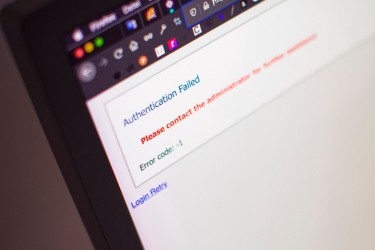
Your website provides strong credibility signals for Google. If search engines cannot crawl or index your pages, your visibility declines. Technical issues often limit performance without an obvious warning.
Slow mobile performance reduces usability and rankings. Broken internal links interrupt crawl paths. Missing sitemaps limit discoverability. Incorrect no-index settings prevent pages from appearing in search results. These problems weaken your overall authority.
Common website issues include:
• Missing or broken XML sitemap
• Slow mobile page speed
• Broken internal links
• No SSL certificate
• Pages marked no index in settings
Use Google Search Console to inspect your homepage and key service pages. Confirm that Google has correctly indexed them. Address crawl errors quickly. Strong indexing supports your authority and improves placement in search results.
Visibility in local search depends on performance in search engine results pages (SERPs). Google evaluates relevance, authority, and location signals before displaying businesses in local results. Profiles that align with these signals appear more often in Google Maps and local search listings.
Strong local SEO signals typically include:
• A complete Google Business Profile
• Consistent NAP information across directories
• Recent customer reviews
• Location-based website content
• Ongoing profile activity
For a structured checklist, review local SEO tips for small businesses and compare them to your current setup.
Google favors businesses that demonstrate engagement. Review volume and recency influence prominence in local results. If competitors receive steady feedback and you do not, Google notices that difference.
If your reviews are slow, your profile can look less active than competitors'. Start by requesting reviews from recent customers, then respond to each one to show you are engaged. Add new photos regularly and post updates through Google Posts to keep your listing active. Use profile analytics to see what customers click. Then adjust photos, services, and descriptions based on what performs best.
Strengthen your presence by:
• Requesting reviews from recent customers
• Responding to every review
• Adding photos regularly
• Posting updates through Google Posts
• Reviewing profile analytics for trends

High-density markets create stronger competition in search results. Google weighs proximity heavily in local rankings, so nearby competitors may outrank you. While you cannot control geography, you can strengthen the signals Google evaluates. Google looks at proximity, relevance, and prominence together, so complete profiles and strong reviews often perform better than incomplete listings.
If customers cannot find your business online, start with this quick visibility checklist:
1. Confirm your Google Business Profile status
2. Search for duplicate or unclaimed listings
3. Review your NAP consistency across directories
4. Confirm your categories and service areas
5. Check for suspensions or alerts
6. Inspect indexing in Google Search Console
7. Request new reviews
8. Add updated photos and business details
These fixes help, but visibility can drop again if old data returns. Data aggregators update frequently and may reintroduce outdated details. Keep monitoring your listings, website, and profile activity to keep your information aligned.
If you still wonder, “Why is my small business not showing up on Google?” focus on three areas: consistency, activity, and technical fixes. Google looks for stable business details, an active profile, and a website it can crawl. When those signals improve, your visibility usually improves too.
If you want a structured plan, contact E-Marketing Associates today. Our local search optimization services can help you find gaps, fix inconsistencies, and improve your local visibility so customers can find you online when they need you.









.avif)