.png)

Spring cleaning your business's digital presence is just as important as its physical location. In 2026, your business's online presence is likely the first stop any potential customer makes on their journey to conversion. Over the years, outdated and inaccurate information can not only confuse potential leads but also harm your company's digital presence and search ranking. Now, in today's AI-search-driven world, it's more important than ever to ensure your business's online presence is optimized and ready for discovery.
In this guide, we'll cover how to spring-clean your online presence, including how to fix outdated business information and helpful tips for ensuring your digital profiles are cohesively designed.
Use this checklist to audit your company's online presence.

The most important digital mentions for a business online are its name, address, and phone number. In search engine optimization, this is known as your "NAP." Search engines and AI rely on consistent NAP listings to build a digital "image" of your business, which they then display in search results when someone searches for a product or service.
If your NAP listings are inaccurate, this could lead to false information being shown to potential customers. When they try to call your business only to find the line doesn't work, or a website leads to a broken link, you miss out on what could have been a good opportunity.
The first step in our " How to Fix Outdated Business Information outline is to get a full listing of your NAP mentions. You can do this by using a tool like Moz Local or Yoast, or performing a Google query search with your business name, phone number, and address in quotes.
To see mentions of your business on a particular website or directory, like Yelp, you can add “site:” before the web address, then your business's name, address or phone number in quotes.
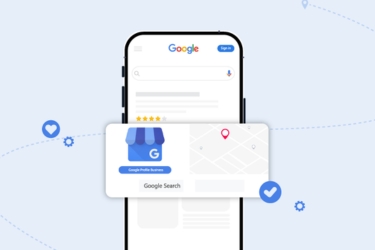
Google allows businesses to have only one Google Business Profile per physical location. Make sure that your profile is accurate. Ensure that the name of your business is spelled exactly as it appears both on your website and social media profiles, along with any directories you may be featured in.
Pay close attention to slight alterations in a business name, such as adding "Inc" or "LLC" afterward. For a strong digital presence, use the exact same name and spelling everywhere.
It's not uncommon for companies to have multiple, conflicting profiles for their business. But when you're focusing on how to fix outdated business information online, these extra profiles can pose a challenge.
Maybe you no longer have access to the accounts that created them, or they are listed somewhere without your permission, so you have no idea how to fix them.
The first step is to take inventory of what you do own. Then, you can make a separate list of profiles or accounts you don't have access to, such as from a former marketing consultant or agency. Getting as much control as possible over your digital presence is the best way to go about avoiding common reputation management mistakes.

There are dozens of online data scrapers and third-party aggregators that can compile information about your business from a variety of sources. This can lead to duplicate or inaccurate profiles and mentions around the web.
To start off, you can claim ownership of a business on many sites and gain the ability to update its information. For starters, make sure your Google Business Profile is claimed. You can do this by logging in to your account with Google, finding your business on the map, and clicking "Claim this business." Follow the on-screen process.
Yelp, Facebook, and Bing Places also have straightforward claiming processes. Log in and look up your business to find the claim button and initiate the verification process.
Many directories allow you to submit a claim to have a listing removed. On Google, you can do this by clicking a duplicate listing on Google Maps and selecting "Suggest an Edit." You can then hit "Close or remove," then "Duplicate of another place."
Choose the correct listing, and wait for support to review your claim. You can also contact Google support for assistance.
Other directories tend to have a similar process. File a report or claim against a listing, verify your identity as the legitimate business, and get duplicates removed.
Important Reminder: Never share personal or identifying information about you or your business with anyone who is not affiliated with a major directory, such as Google, Meta, or Yelp. If your business appears in a low-ranking, unimportant directory, you shouldn't provide your personal details to that company, especially if they insist on details like your full name and Social Security number.

When was the last time you updated your website's "About Us" page? Many people set up their site or pay someone to do it for them, unaware of any inaccuracies that could be harming their ranking. At least once per quarter, perform an in-depth website review where you read through each page and check every business mention, product or service description, and contact details. This includes your address and phone number, as well as any social media accounts you may link to.
Part of spring cleaning your business's online presence should include making sure its digital home is nice and tidy. Remove outdated pages, old content, and broken links. Make sure your navigation menu is clean, your website loads quickly, and all information is up to date.
Now that you know how to fix outdated business information online by filing claims or updating profiles, you're ready to move on to the next stage: tracking your mentions. This is an important step in online reputation management and lead generation.
You can invest in an SEO tool that tracks listings for you; this is the easiest way to stay current with listings, get notified of potential errors, and fix them quickly. However, you can also still do things the old-fashioned way with a spreadsheet.
Set a quarterly reminder to review your business information online, so you can correct any mistakes promptly. Investing in the right tools can make all the difference in maintaining a strong, professional online image.
If you'd like to explore software, check out our apps for syncing accurate business information.









.avif)