.png)
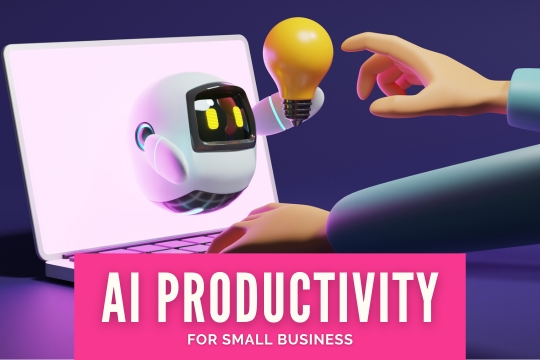
From automated messaging systems to efficient accounting software for small business, CEOs are always looking for ways to save time. In the age of technology, AI offers dozens of ways to automate systems, eliminate redundancies and free up your employees for more important tasks. With a look at the best ways small businesses use AI to save time, you can take advantage of the latest features and keep your team up to speed.

Content generation is one of the best ways small businesses use AI to save time. Instead of writing, planning, and designing for weeks, your team can generate text and images with a few prompts. Better yet, you don't need to pay for a fancy subscription. While paid services often come with extra perks, such as high-resolution images or more videos per month, you can try most services for free without scheduling a demo.
For the record, this doesn't mean that you should fire your creative team and rely solely on AI for marketing materials. AI usage is still controversial, and many companies have experienced backlash after releasing AI-generated advertisements. However, your team can collaborate with AI to save hours of effort without losing the human touch.
Responsible ways to use AI include:
In a pinch, AI can generate images, drawings, music, blog posts, captions, scripts and even short-form videos. Most social media platforms allow AI-generated content, so you're not breaking any rules. However, synthetic images often have strange artifacts and a distinctly polished look that many people can detect. If you're going to share AI content, prepare yourself for a lot of commentary.
On another note, AI can quickly generate texts, emails and other short messages, reducing the amount of time you spend organizing your inbox. Some email providers already have built-in AI tools that generate a reply in seconds. You can send the reply as-is, make edits first or use the reply as inspiration for your own message.
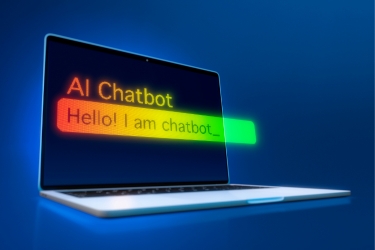
Small businesses have used chatbots to answer questions for years. In fact, you might already have a chatbot installed on your website. While they're good for answering basic questions and gathering your customers' contact information, they can only reply with pre-written responses. This frustrates people with complex queries that your chatbot can't answer.
AI chatbots are much more advanced. Instead of generating pre-written responses, they talk fluidly and write original responses, making the user feel like they're talking to a real person. This enables your chatbot to answer in-depth questions, resolve complicated issues, make suggestions and steer your customers toward making more purchases.
Best of all, AI chatbots can handle a virtually unlimited number of customers. While your human agents can only talk to one person at a time, AI is available 24/7 to answer questions, take complaints and offer coupon codes. As a result, your employees have more time to handle complicated issues that your AI can't resolve.
However, before you buy a subscription to an AI-powered bot, it's important to test different models and find one with strong guardrails. People will inevitably try to "jailbreak" your bot by making it say shocking, hurtful or offensive things, then post the results on social media. The resulting backlash may damage your company's reputation and send the message that you're just another small business owner who jumped on the AI wave without considering the drawbacks.
Instead, look for a model that's undergone rigorous testing, established strong guardrails and received positive reviews from established companies. Most reputable businesses offer demos or free trials that help you decide if their software is the right fit. It's also important to find a company with 24/7 live customer service, so you're never alone if a glitch or unexpected incident occurs.
Once you've installed your new bot, your employees will spend less time pulling answers from your FAQ and more time building positive, ongoing relationships with your customers. Your bot should include an option to transfer each user to a human agent at any time, ensuring that people won't give up out of frustration.
Forecasting helps businesses plan for the future. With effective forecasting, you can invest in the right technology, stay ahead of trends, scale back certain operations, develop new products and adjust your marketing strategy to reach the most people. While no forecast is 100% accurate, these productions could help your company survive difficult times that crush your competitors.
In the past, employees gathered data and used software to make predictions. Today, AI can scour the Internet and collect millions of data points, then evaluate past and present trends to generate forecasts that may steer your company in the right direction. The software also generates clean, readable reports that anyone can process.
This is one of the best ways small businesses use AI to save time for two reasons. First, you won't have to spend hours collecting data and writing reports. Instead, AI does most of the work for you, allowing you to reap the benefits while you focus on other projects.
Second, these forecasts could help your company avoid costly, time-consuming mistakes. For example, if the algorithm determines that a popular marketing trend is losing steam, you'll switch your focus to newer, fresher trends and avoid wasting your resources on outdated materials. As the model keeps learning, the predictions may become increasingly accurate until it's an essential part of your business strategy.
In the early days, AI could generate text or images, but it didn't offer much more than that. As the technology continues to advance, AI has become a novel-writing assistant, a movie maker and even an instant website builder. With a few prompts, the model can instantly build a clean, efficient website that makes shopping a breeze, saving you hours of time and effort.
You'll still need to customize the layout and find a platform to host your site. Still, this method allows anyone to make a website without coding knowledge. You could even take a full "vibe coding" approach by telling a chatbot what you want. While this option sounds easy, you'll need to ask the chatbot to do everything, even replace the default text and images, which is ultimately more time-consuming than a hybrid model.
If you don't need a full website, many AI models can build apps for your team. This may include text and image generators, calculators, translators, research tools and anything else that your workflow needs. Just make sure that your app is secure, and advise your employees not to input sensitive information.

Sometimes, managing your calendar might feel like a full-time job in itself. You have to schedule appointments, remove cancellations, sneak in your lunch breaks, avoid scheduling conflicts and keep everyone in the company up-to-date. For HR managers, scheduling employees according to their availability adds another layer of stress.
Fortunately, AI has the power to keep your calendar clean and organized. To start, some tools integrate with your email inbox and automatically add events to your calendar. If the tool finds a scheduling conflict, you'll receive a notification in seconds. You'll also get a dashboard that allows you to view all the events for the day, week or month and make changes as needed.
You could also install an AI assistant that reads your emails, documents, meeting notes and other materials, then organizes your calendar accordingly. These assistants typically come with other features, such as research, translation and summarization, and they provide results in seconds. Training usually doesn't take long, and your entire team can take advantage of the benefits.

AI might streamline your workflow, but it can't replace your entire team. Try evaluating your current systems and looking for outdated software, frequent glitches, confusing instructions, employee complaints and other issues that suggest it's time for a change. Afterward, start researching AI models to see how they can relieve pain points and transform your workspace.
With so many models on the market, it's easy to fall for scams. Look for clean, organized websites with reviews, contact information and a brief history of the business. While you're at it, look up third-party reviews to see what others think of the model. Afterward, reach out to the company to schedule a demo or free trial.
During the trial period, invite your team to test out the software and reach out with their comments, questions and complaints. They might end up using this software every day, so it's important for them to have a positive experience. This also gives you the chance to figure out how to integrate the model into your workflow.
If you have a successful trial run, you could sign up for a full subscription. Otherwise, look for other companies or ask yourself if AI is the right option for this task. Sometimes, AI adds difficulties instead of removing them, and it's best to stick with human employees.
With our Ava Business Assistant, you'll have 24/7 access to a friendly automated employee that talks to customers, books appointments, answers questions, captures leads and collects contact information. This AI-powered tool responds to phone calls and chat messages, ensuring that you never miss a customer. Reach out today to schedule a marketing automation demo.








.avif)